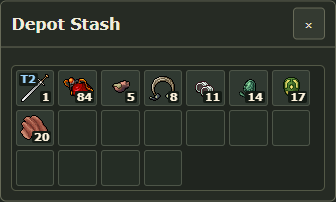
Depot Stash
Store equipment and supplies at your depot, withdraw items and expand your Stash.
Open your Stash
Free and Premium accounts can open Stash in their personal Depot Locker. It is separate from the Depot Chest, Inbox and Market.
- Deposit. Open your backpack, Depot Chest or Inbox. Drag an item from it into the Stash. On a phone, hold the item briefly and drag it. Confirm the amount when prompted for a stack.
- Withdraw. Drag a Stash item into an open container slot to choose its destination. Click or tap a Stash item, set the amount and choose Withdraw item to use your backpack and eligible bags.
- Leave enough room and carrying capacity for the amount you want. If the destination changes or a transfer does not fit, choose a different slot or try a smaller amount.
Slots and upgrades
- Starting capacity
- 50 slots
- Store upgrade
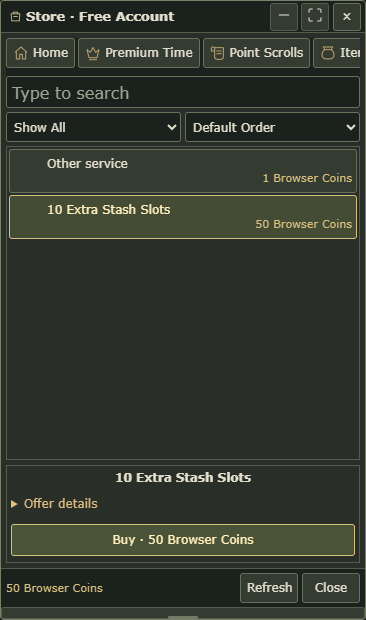
- +10 for 50 Browser Coins
- Maximum capacity
- 500 slots
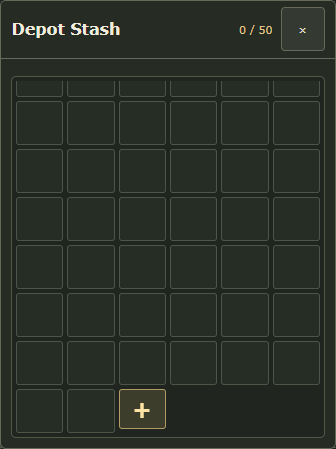
Capacity belongs to each character. The counter shows used and total slots. Scroll to the last tile and select + to open 10 Extra Stash Slots in Store. Confirm there. At 500 slots the tile reads Max. A character with more than 500 older entries can withdraw them. A new distinct entry needs a free slot.
What shares a slot?
Items with the same type and saved attributes share one slot, and the tile shows the quantity. A different tier, bonus roll, number of charges, imbuement or container contents can make another entry. Depositing more of an item that already matches an entry uses that entry.
Equipment keeps its imbuements in Stash. Wait for an active item decay timer to expire before depositing that item or a bag that contains it.
Carry gold, platinum and crystal coins to the bank. Move worn equipment into an open backpack before depositing it. If a transfer is waiting for a response, use Check transfer.